Free Fire Advance Server Registration 2026 —
Full Guide + 7 Tips to Get Selected
Let me paint you a picture. Registration for the Advance Server opens at 10am. By 11am, most of the slots are gone. By noon, the form shows “registration closed.” And somewhere in that one-hour window, thousands of players all hit the same page at once, half of them filling out the form wrong, half of them using the wrong account — and then wondering why they never got a code.
This is what actually happens every single OB cycle. It is not random luck. Players who know exactly what to do get in. Players who do not, keep missing it.
The OB54 Advance Server registration window is expected to open in late May or early June 2026. That means right now — before it opens — is the best time to learn the process, check your eligibility, and set yourself up to register in the first hour. This guide tells you everything you need to know.
📋 What this guide covers: What the Advance Server is, eligibility requirements, the exact registration steps, 7 real tips to improve your selection chances, common mistakes that get applications rejected, and what to do after you register.
What Is the Free Fire Advance Server?
The Free Fire Advance Server — also called the FF Beta or the Advance Server — is an official, closed testing environment that Garena runs before every major OB update. It is separate from the main game. You need a special activation code to get in. And only a limited number of players get selected each cycle.
The purpose is straightforward. Garena builds the next update and needs real players to break it before it goes live. Bug testers find crashes, hitbox problems, balance issues, and graphical glitches that internal teams miss. Once the testing window closes, Garena fixes everything the testers reported — and then pushes the polished version to 80+ million players on the main game.
As a tester, you get:
- Early access to new characters, weapons, maps, and game modes — 2 to 3 weeks before anyone else
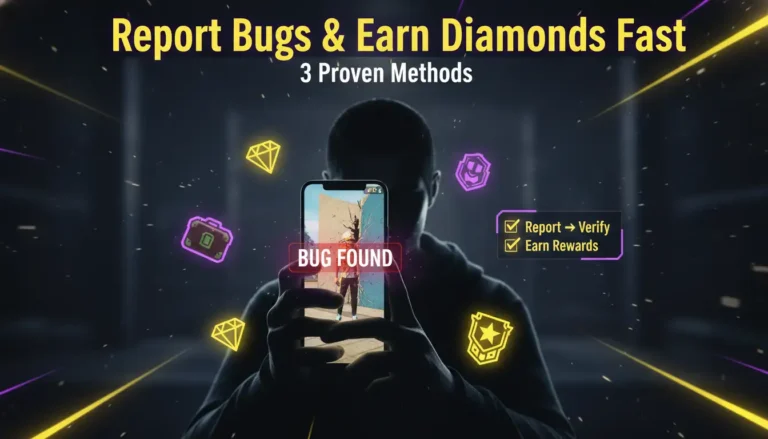
- Free diamonds credited to your main account for each unique bug you successfully report
- Direct influence on the game — feedback from testers shapes the final release
- Exclusive experience that content creators use for early-look videos and guides
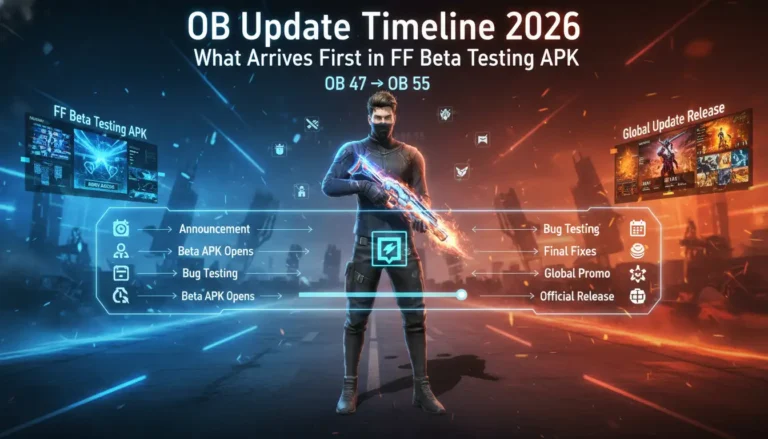
The Free Fire Advance Server registration for OB54 is expected to open in the last week of May or first week of June 2026. The full OB54 update is projected around June 24, 2026. Registration closes within hours of opening — be ready before it goes live.
Eligibility Requirements — Do You Qualify?
Before you even attempt to register, check this list. Garena’s system automatically screens out applications that do not meet these criteria. Submitting with a disqualified account wastes your registration slot and will not get reconsidered.
Meeting the eligibility criteria does not guarantee selection. Garena limits the number of testers on purpose to keep the server stable. Most players who qualify do not get selected on their first attempt. That is normal. The tips section below will show you how to improve your odds over time.
How to Register — Step by Step
Here are the exact steps to register for the Free Fire Advance Server 2026. Follow every step in order. Do not skip the form details — incomplete or inaccurate submissions are rejected without notification.
Watch for the Official Registration Announcement
Garena announces the registration window on their official Free Fire Facebook page, through in-game notifications, and on the official website. The window usually opens 1–2 weeks before the Advance Server goes live. For OB54, this is expected in late May or early June 2026. Follow Garena’s official channels now so you do not miss the announcement.
Go to the Official Advance Server Website
Open your browser and go to ff-advance.ff.garena.com. This is the only official registration page. Do not use any third-party links, mirror sites, or URLs shared in WhatsApp groups — they may be fake sites designed to steal your account credentials.
Log In with Your Linked Account
Click the login button and sign in using the Facebook or Google account linked to your Free Fire profile. This must be your existing, active account — the one with your game history, rank, and play time. Logging in with a different or new account will result in rejection because Garena verifies your player data at this step.
Fill In the Registration Form Completely and Accurately
The form asks for your real name, email address, phone number, and 12-digit Free Fire Player ID. Fill in every field. Do not leave anything blank. Do not put fake details — inaccurate information is a direct reason for rejection and reduces your chances in future cycles too.
Open Free Fire → tap your profile picture in the top-left corner → your 12-digit Player ID appears below your in-game name.
Agree to Terms and Submit
Read the Advance Server terms and conditions before checking the box. By agreeing, you confirm you are willing to report bugs and that your beta data will not carry over to the main game. Submit the form and take a screenshot of the confirmation page as proof of your submission.
Wait for Selection — Check Email and Dashboard
After registration closes, Garena reviews all applications and selects testers. This takes 1–3 days. If you are selected, your activation code will arrive in your registered email and also appear in your account dashboard on the Advance Server website. Check both. Codes expire within 48 hours of being issued — act immediately when you receive one.
Download the APK and Enter Your Code
Once you have your activation code, download the FF Beta Testing APK from our site, install it on your Android device, log in with your Free Fire account, and enter the code when prompted. The game will then download additional data and you are in.
Download and install the APK before your code arrives. That way, when the code hits your inbox, you can enter it immediately without losing time on install steps while the 48-hour clock is running.
7 Real Tips to Improve Your Selection Chances
Most guides stop at “fill out the form and wait.” But there are things you can do — before, during, and after registration — that genuinely improve your odds. Here they are:
Register in the First 30 Minutes After the Window Opens
This is the single most important thing. Early applicants consistently get higher selection priority. Garena begins processing registrations as they come in, and slots fill within hours. Set an alarm. Follow Garena’s Facebook page. When the announcement drops, open the site immediately. Players who register in the first 30 minutes have far better odds than those who apply 3 hours later.
Play Ranked Matches Regularly in the Weeks Before Registration
Garena’s selection system favours recently active accounts. Inactive players get deprioritised. In the 2–3 weeks before the Advance Server registration opens, make sure you are logging in daily, playing ranked matches, and showing account activity. An account that has not been touched in a month looks like it does not care — so Garena gives its slot to someone else.
Use Your Main Account — Not a Smurf or New Account
Some players think creating a new account gives them extra registration attempts. It does not — and it actually hurts. Garena selects based on account age, game history, rank, and activity. A week-old account with zero matches gets rejected automatically. Always register with your main, oldest, most active Free Fire account.
Fill Every Field in the Form Accurately — No Fake Details
Using a fake name, wrong email, or incorrect Player ID does not just risk rejection — it can flag your account and reduce your chances in future cycles. Garena cross-references the form details against your account data. Everything must match exactly. Double-check your Player ID before submitting. Copy-paste it directly from the game — do not type it from memory.
If You Got In Before — Report Bugs Properly This Time
Garena tracks tester quality across cycles. Players who got into a previous Advance Server and submitted detailed, valid bug reports have a higher chance of being selected again. If you got in before but never reported anything, you are essentially a low-quality tester — and Garena knows it. Reports need a screen recording or screenshot, device model, and a clear description of what happened and how to reproduce it.
Keep Your Account in Good Standing — No Bans or Violations
Any recent ban, toxic behaviour report, or terms-of-service violation on your account directly lowers your chances. Garena wants testers who represent the community positively. Accounts flagged for cheating, harassment, or abuse are never selected. If your account has recent violations, clean it up before the next cycle and wait at least 2–3 months before applying.
Apply Every Single Cycle — Do Not Give Up After One Miss
Many players give up after not getting selected once or twice. That is a mistake. Most players who eventually get in were rejected two or three times first. Garena rotates testers partially each cycle — some returning testers stay, some new ones get brought in. Every cycle you apply is another chance. Stay active, keep registering, and eventually your account will rank high enough in their system to make the cut.
Common Mistakes That Get You Rejected
These are the exact mistakes players make every cycle — and most of them could be avoided if they just knew about them in advance.
Advance Server vs Regular Game — What You Actually Get
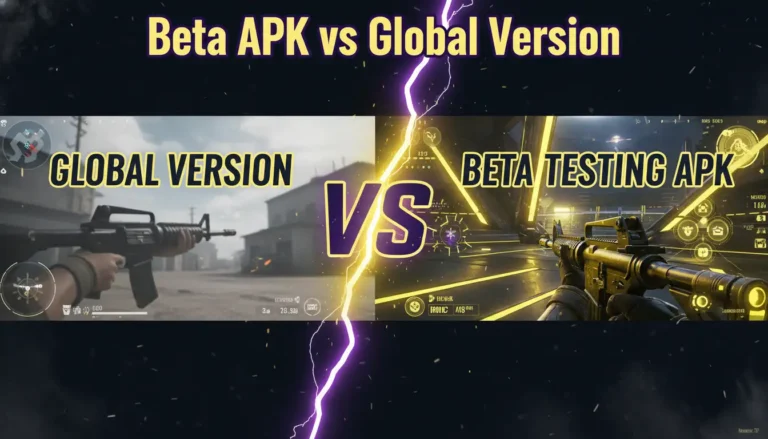
Still not sure whether it is worth going through the registration process? Here is exactly what you gain as an Advance Server tester compared to waiting for the official release like everyone else:
| What You Get | Advance Server Tester | Regular Player (Waits for Global Release) |
|---|---|---|
| New character access | ✓ 2–3 weeks early | On global release day |
| New weapons to test | ✓ Before balance is finalised | After final balance locked |
| New map areas | ✓ First look at map changes | Day of official update |
| Free diamonds | ✓ Per verified bug report | ✗ No bug reward system |
| Influence game development | ✓ Feedback shapes final release | ✗ No direct input |
| Ranked matches | ✗ Not available in beta | ✓ Full ranked access |
| Permanent game progress | ✗ Beta data resets | ✓ All progress saved |
| Content creation advantage | ✓ First-look footage before anyone | ✗ Everyone has it same day |
| Meta knowledge advantage | ✓ Know new meta weeks early | ✗ Learning on release day |
Frequently Asked Questions
Conclusion
Getting into the Free Fire Advance Server is not purely about luck. It is about timing, account health, and doing the basics right. Register early. Use your main account. Fill the form accurately. Stay active in ranked. Those four things alone put you ahead of a significant portion of the competition.
And if you do not get selected this cycle — apply again next time. Most players who eventually get in were rejected at least once first. Each time you apply with an active, well-maintained account, your chances improve.
In the meantime, make sure you have the FF Beta Testing APK downloaded and installed now — so the moment your activation code arrives, you can enter it immediately without wasting any of your 48-hour window on install steps.
Have you registered for the Advance Server before — and did you get selected on your first try or did it take a few attempts? Drop your experience in the comments. It genuinely helps other players who are going through the same process right now.
Get the APK Ready Before Registration Opens
Download the FF Beta Testing APK v18.6 now — free, no password, 438.69 MB. Have it installed before OB54 registration opens so you are ready the second your code arrives.
⬇ Download FF Beta Testing APK — Free